
I wanted a quick and easy way that I could transform LCSH Monthly Approved Lists into a more structured list of what headings have been changed. So I created a reusable set of OpenRefine operations to do just that.
Something that is a recurring desire for me is an easier way to see what subject headings in LCSH have been changed. In particular, I’d like to have a way to get a list of those subjects that I can use to check to see if there are changes we need to make, particularly in our non-MARC systems like CONTENTdm and DSpace. Alma handles that pretty well for our MARC records, but for our non-MARC systems, I have to keep an eye on that and if we spot any subjects that have been updated, someone has to manually update those subjects in the metadata.
Right now, the only way I know of to see what subject headings have been changed by the Library of Congress is to look at the Monthly Approved Lists. (Although if anyone knows of a better, more programmatic way to get access to LCSH changes, please let me know!) The Approved Lists are helpful, but are not formatted in a way that is particularly easy to parse through. For this use case, in particular, they include a lot of subjects which are either new or where notes or reference fields have been updated but the term itself hasn’t changed. Even when the list contains mostly updated subjects, it isn’t easy to get a list of all of the terms that have changed that I can easily search for in our non-MARC metadata.
One of the use cases that I’m most interested in is when there is a list that includes a group of related subjects that are being updated together, like List 06 LCSH 2 (June 21, 2024) which includes a lot of updated subjects where “Racially mixed people” was changed to “Multiracial people.” I’d love to be able to get those updated across our metadata, and having a simple list of the old and new terms would be a big help.
So I wanted a way to parse the Approved Lists and get just a list of existing terms that have been changed. Fortunately, despite (or because of?) the fact that they are just plain text HTML pages, the monthly lists are pretty standardized, which made me think that they could be manipulated to get the data that I want out of them. There are probably more appropriate tools for this job, but the one that occurred to me first was OpenRefine, so that is what I went with. (Y’all know I love me some OpenRefine.) After some trial and error, I figured out a set of OpenRefine operations that can be reused to quickly and easily transform the text from a monthly list into a spreadsheet with all of the subjects on that list that were changed.
The JSON file with the OpenRefine operations is in my github here: https://github.com/elliotdwilliams/loc-monthly-list-changes
Here’s how to use it:
First, navigate to a monthly list that you are interested in, and simply use Ctrl-A and Ctrl-C to copy all of the text on that page. Then create a new project in OpenRefine. Use the “Clipboard” option to get data, and paste in the text you copied from the monthly list.
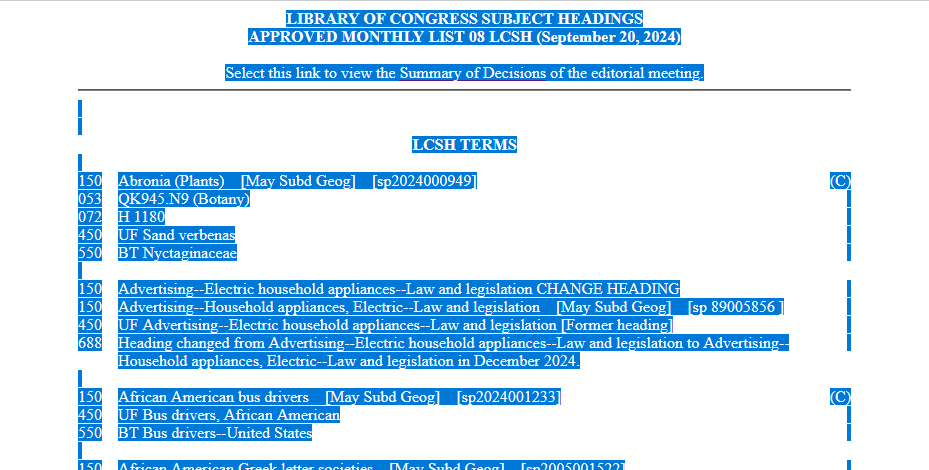 Data ready to be copied
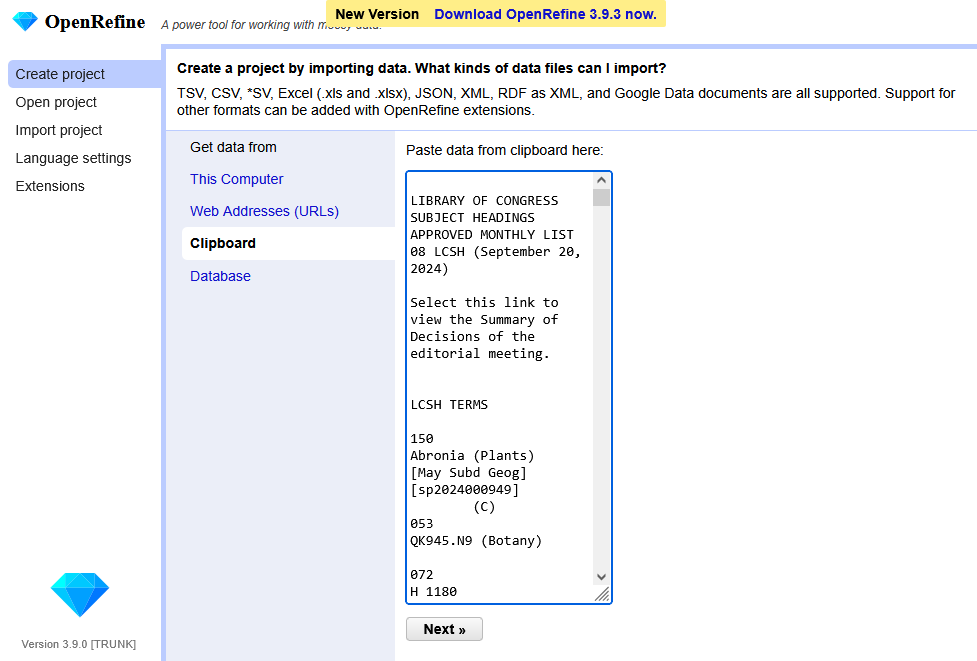 And now that data pasted into OpenRefine
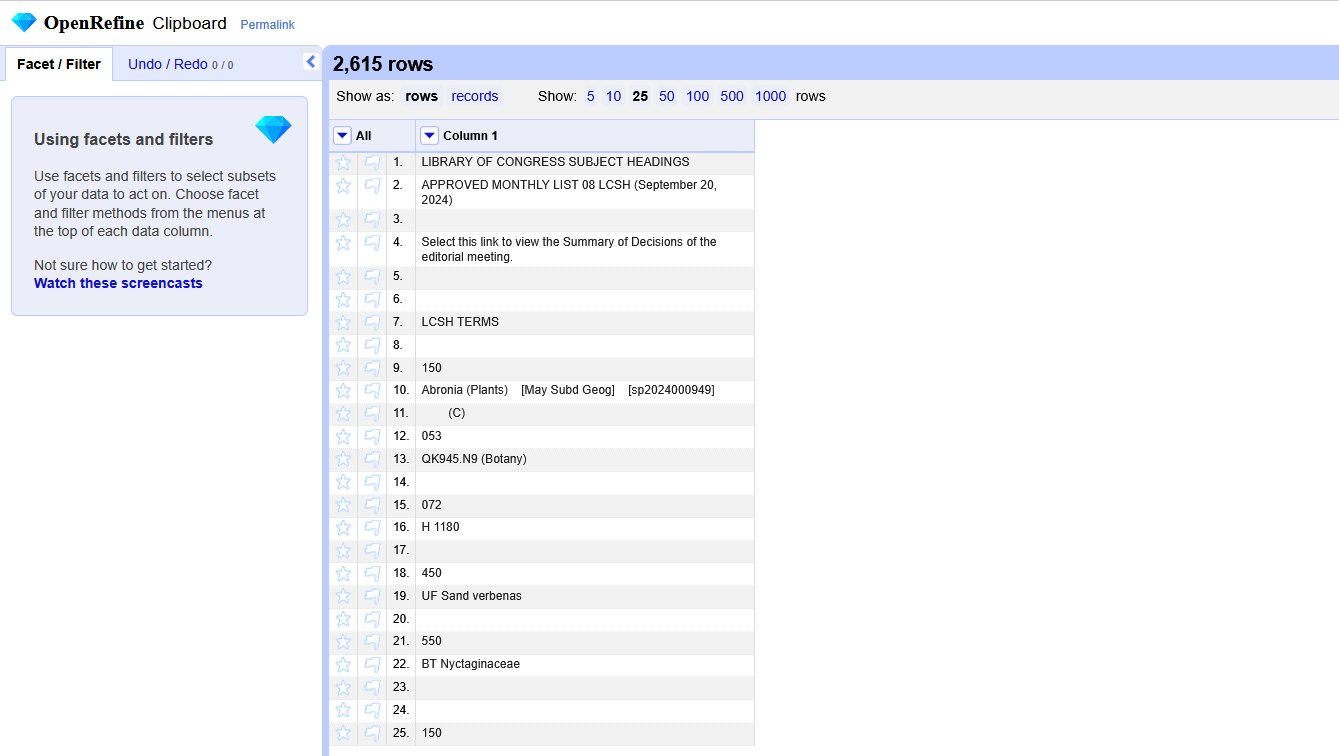
Here’s how the data will look when you first create the project in OpenRefine:
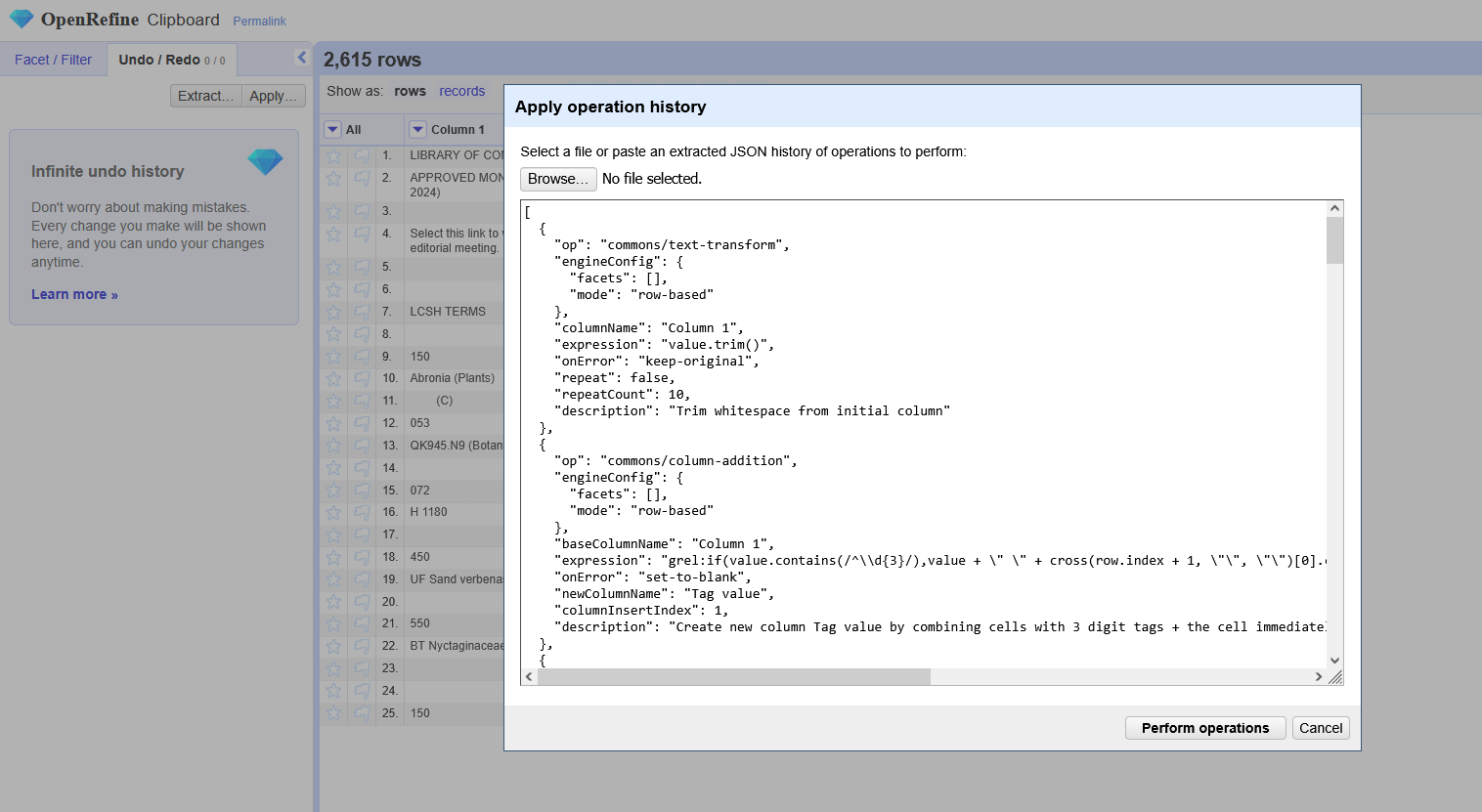
Next, copy the OpenRefine operation history and apply it to your project. (To do that, go to “Undo/Redo” in the upper left, select “Apply…”, and then paste in the JSON. You an also upload it as a file, but I usually just paste it in.)
And voila! Now you have a list of all of the subjects that have been changed, which can be exported as a CSV, spreadsheet, etc. It includes the subject term and MARC tag of both the old and new versions of the subject heading, as well as the identifier for the subject heading and a link to the term in id.loc.gov. (I can’t think of a scenario where the MARC tag would change between the old and new versions, but I included both just in case.)
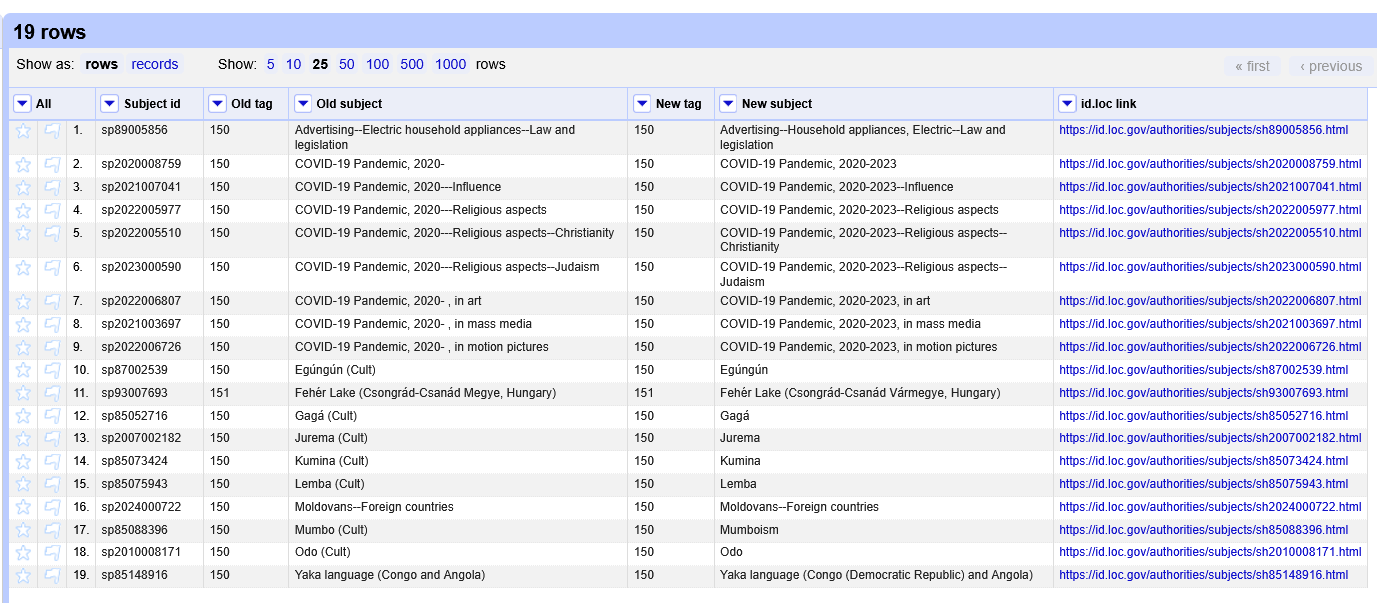
I tried to comment each operation in the JSON file to provide a bit more context about what it is doing. The trickiest part was figuring out how to access the cell below a given cell in OR, but the cross function came to my rescue.
Currently, the operations only work for LCSH terms, not CYAC, LCDGT, etc. It might work partially for those other vocabularies, but the ID and link columns definitely won’t work. I’d like to play around with it some more to be able to parse what vocabulary each term is part of, but since I don’t work with those vocabularies regularly, it might not be a high priority.
I’d love to hear if this is helpful to anyone else, or if you know of more efficient ways to get this kind of data from LCSH!